Product
Orbitagents Update: Talk With Your Orbie CMO, Generate Videos, Voiceovers and Transcripts
Press one button and talk to Orbie like you would to your head of marketing. It already knows your business, gives you a plan on the spot, and starts the work when you hang up. Your agents can now also make the video, the voiceover and the subtitles.
Most AI tools still want you to type. You write a long prompt, read a long answer, write another prompt. That is fine for a quick task. It is a slow way to think through your marketing.
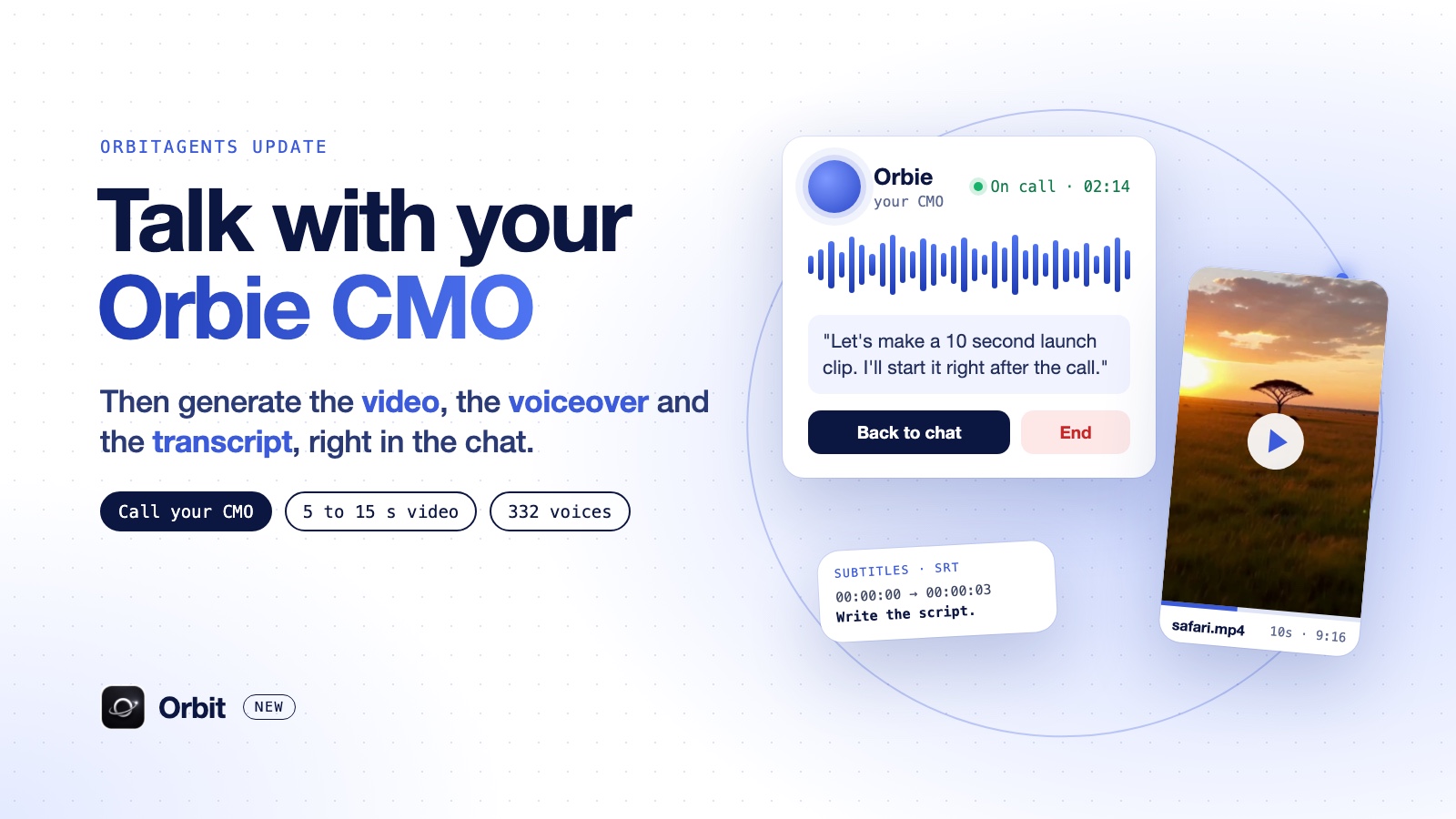
So we added the thing I wanted most for myself: you can now call Orbie, any time, and just talk. There is a call button in Orbie's chat. Press it, and you are on a live voice call with your AI CMO.
And because a plan is only useful if something comes out of it, your agents got four new tools in the same release: text to speech, video generation, speech to text and new picture sizes. Orbie can plan the post with you on a call, and your agents can make the video, the voice and the subtitles for it.
Call your CMO: what a call with Orbie is like
The button sits in Orbie's chat box, right next to dictation, and it reads Call your CMO. It is always there. You do not have to set anything up first.
What makes it different from talking to a voice assistant is what Orbie knows before you say a word. When the call starts, it has already read where your business stands:
- The chat so far, so you can pick up mid-conversation.
- Your business and the knowledge you saved, so you never re-explain who you sell to.
- This week's numbers next to last week's.
- Your CRM and who is waiting on a reply.
- Your agents: what is scheduled, what ran last, and what failed.
- Autopilot's status, if Orbie is running your marketing for you.
So it does not open with "how can I help you today?". It opens with what matters: a meeting coming up in the next day, people waiting on you, an agent that is failing, or the number that moved this week.
Then you talk like you would with a real CMO. Ask what to push this week and it gives you a point of view, the channel, the angle and the three moves to make. Ask "how do we get our first 20 customers from LinkedIn?" and it works it out with you from your own numbers, not from a generic playbook.
Hang up, and the work starts
This is the part I care about most. A call is not just a conversation that disappears.
- The transcript lands in the chat the moment you hang up, saved as "Call with Orbie" with its length, so you and Orbie can come back to it.
- If you agreed on a job, Orbie says it back to you and asks "Want me to start that right after the call?". Say yes, and it starts in that same chat as soon as the call ends.
- If nothing was agreed, nothing starts. A call to think out loud stays just that.
You can also keep working while you talk. Move around the app and the call keeps going, with a small widget in the bottom right corner that shows the clock, whether Orbie is speaking or listening, a way back to the chat, and End.
Orbie offers a call when it is easier to talk
Some answers are too long to read on a phone. When Orbie writes a long one, the chat now offers: "That was a lot. Want to talk it through?", with a Start a call button.
The same goes for Slack and Telegram. When Orbie sends a long answer there, it adds a short "Call me in Orbit" link. It opens the call in Orbit with that same conversation loaded, so Orbie knows what you want to talk about.
Orbie also sounds the same everywhere. The voice on the call is the same voice you hear in its voice notes and when it reads an answer aloud.
Text to speech: a script in, a voiceover out
Now the tools that turn a plan into finished media. The first: give an agent a script and it hands back an MP3.
- 332 voices in 24 languages. English, Spanish, Portuguese, Korean, Mandarin, Japanese, French, German, Arabic, Hindi and more.
- Two quality levels. Standard for drafts, hd for a voiceover you will publish.
- Speed and mood. Half to double speed, and an optional mood: happy, sad, angry, fearful, disgusted, surprised or calm.
- Long scripts. Up to 8,000 characters in one go, about nine minutes of speech, joined into one file.
- Cost. 12 credits per 1,000 characters on standard, 20 on hd. Listing the voices is free.
In a real test, a 136 character script came back as a 10 second voiceover in under 3 seconds, for 2 credits.
Video generation: a short clip with sound
Describe the shot in plain words, or start from a picture you already have. "A paper airplane glides over a tidy desk and lands next to a laptop, soft daylight, slow camera move." Five seconds of that, with sound, took 11 seconds to make.
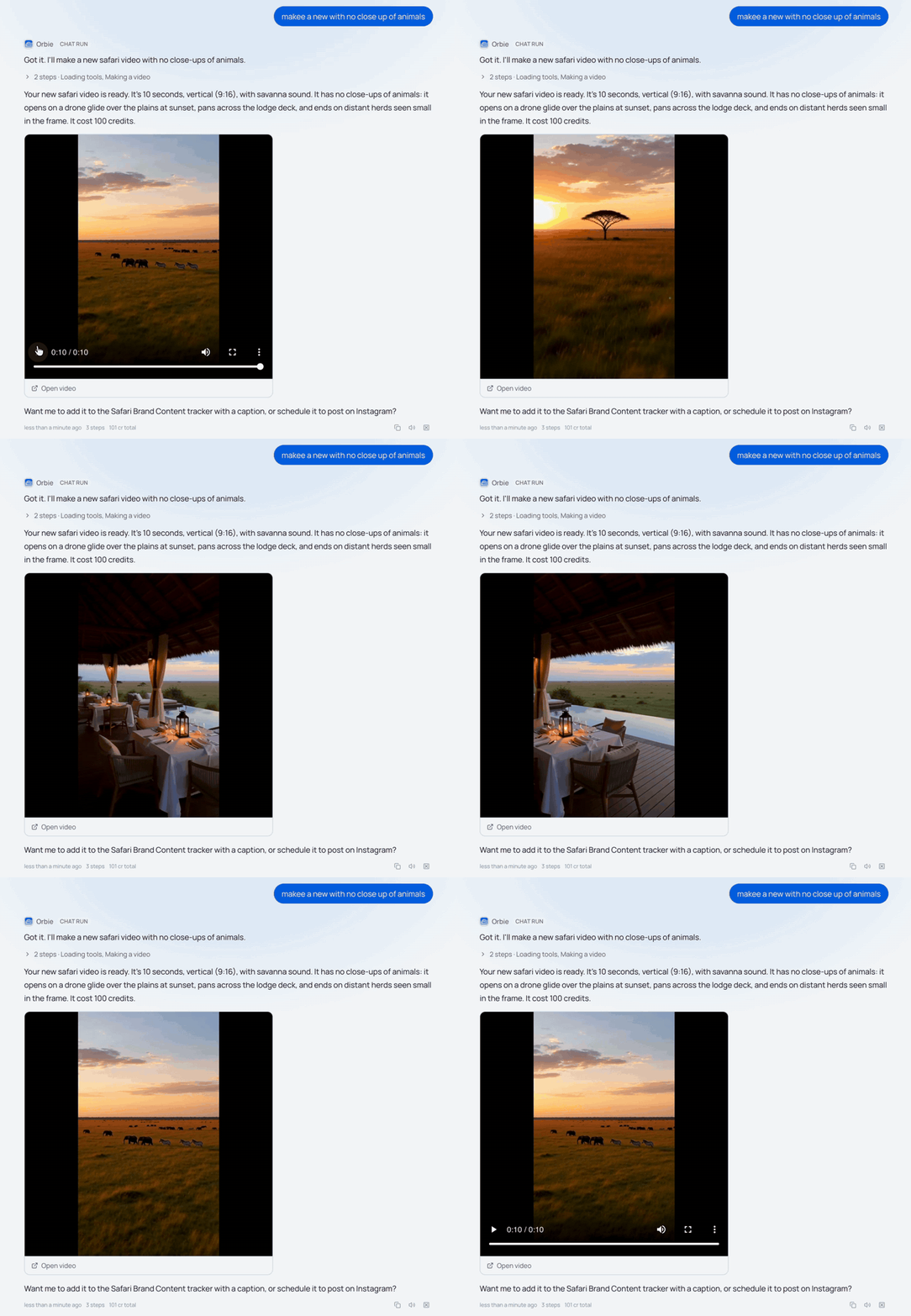
Here is a real one. I asked Orbie for a new safari video with no close-ups of animals. It came back as a 10 second vertical clip with savanna sound, playing right in the chat, for 100 credits.
- 5 to 15 seconds long.
- Any common shape. Vertical 9:16, wide 16:9, square, 4:3, 3:4 and 21:9.
- Two models. A fast default and a quality one up to 2K.
- Cost. A 5 second clip at 480P is 50 credits (10 a second). 768P is 16 a second, 2K is 26 a second.
- You only pay for videos that finish.
Speech to text: recordings into words and subtitles
Hand an agent a recording or a video and it gives you the words.
- Three outputs. Plain text, a transcript of who spoke when, or SRT and VTT subtitles.
- Language is detected for you.
- Files up to 50 MB, long recordings handled in parts.
- Cost. 13 credits for 10 minutes of audio, 76 for an hour.
Our test: a 14 minute video with 170 numbered spoken lines. All 170 came back in order, in 28 seconds, for 18 credits.
Pictures in 16:9 and 9:16
A new picture model, MiniMax Images, sits next to OpenAI Images and Gemini Images. It makes 1280x720 thumbnails and 720x1280 pictures for stories and reels, for 1 credit each, and keeps working as a backup when the others are down.
Every video and voiceover plays right in the chat and is saved to your Files, so the next agent can pick it up and post it.
Put it together: one call, one finished post
This is what an agent OS is for. Not one more chatbot, but one place where the thinking and the doing are connected.
- Call Orbie and decide this week's move together: say, a short video explaining your launch.
- Hang up. Orbie starts the job you agreed on.
- Your agents write the script, record the voiceover, make the clip and the subtitles, all saved to Files.
- You review and post. Or let autopilot handle it.
If you missed how agents hand work to each other, the October update covers workflows and agents that schedule themselves. Pair all of this with browser automation and an agent can research the topic on the web first.
Limits worth knowing
I would rather you hear these from me than find them in a failed run.
- Calls are on paid plans. The media tools work on every plan, from your normal credits.
- Calls happen in Orbit, in the browser with your microphone. It is not a phone call, and Orbie cannot join a Slack huddle.
- Orbie does not do work during the call. It plans with you, and the agreed job starts the moment you hang up.
- The video and the voiceover are two files. Orbit does not put the voiceover onto the video for you yet.
- No voice cloning, no music, videos up to 15 seconds.
- Speech to text takes MP3, M4A, WAV, AAC, and MP4 or MOV up to 50 MB.
- Nothing is charged for a request that fails.
Try it
Open Orbit, go to Chat and press Call your CMO. Ask Orbie what you should push this week. Then let your agents make it.
Build the AI empire that runs with you, the operating system for Claude, Codex, ChatGPT and more. Now you can just call it.
Frequently asked questions
- How do I call Orbie?
- Open Orbie's chat in Orbit and press Call your CMO, next to the dictation button. Allow your microphone and you are talking. Calls are included on paid plans.
- Does Orbie know my business on the call?
- Yes. Before the call starts it reads your chat so far, your saved business knowledge, this week's numbers against last week's, your CRM, who is waiting on a reply, your agents and autopilot's status. It opens with what matters instead of asking what you want to talk about.
- What happens after I hang up?
- The transcript appears in the chat right away and is saved there. If you agreed on a job, Orbie confirmed it on the call and starts it in the same chat as soon as the call ends. If nothing was agreed, nothing starts.
- Can I use the rest of the app during a call?
- Yes. The call keeps going while you move around Orbit, with a small widget in the bottom right corner to see the time, go back to the chat or end the call.
- Can Orbit put the voiceover onto the video?
- Not yet. The video and the voiceover come back as two separate files, both saved to Files. You join them in a video editor.
Build your autonomous AI company
Orbit gives your AI clients shared memory, provisioned tools and agents that run like trained employees.
Get started free